
Setup Post Checkout Popup

Paul
Last Update 3 months ago
To set up the post checkout popup in your store: Go to the Post Checkout Popup tab in the GoAffPro admin panel.

Here, enable the toggle

After this, you can click on Select & Customize and set up the popup of your choice.
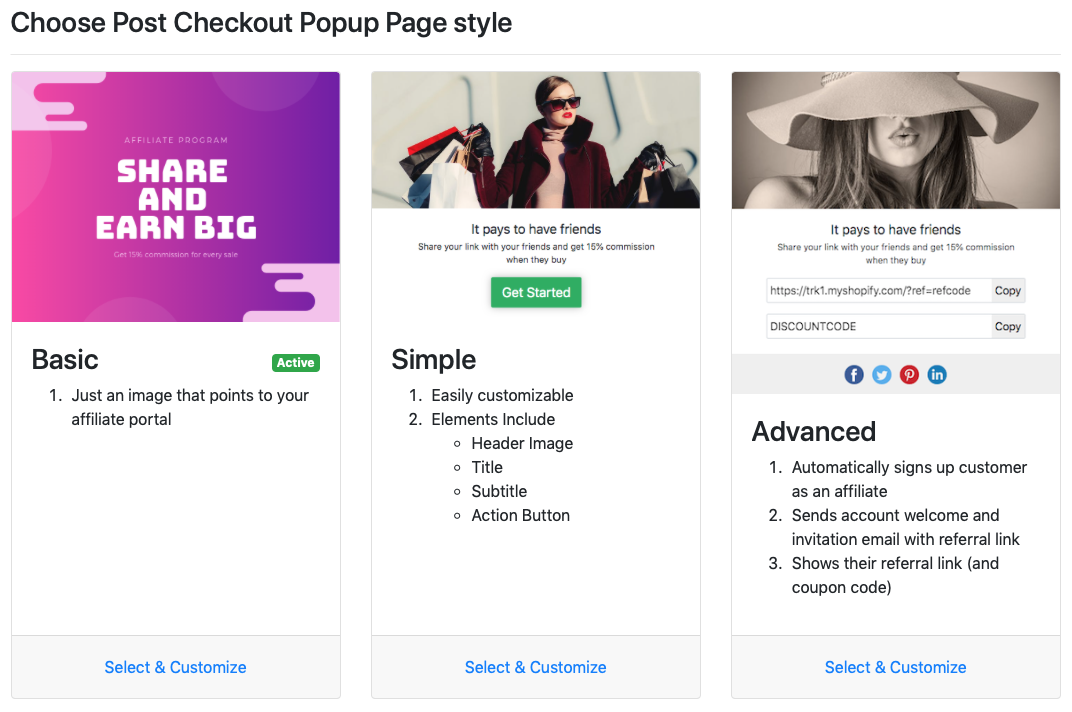
Post Checkout Popup styles:
- Basic Popup: Lets you set up an image that directs customers to your affiliate portal.
- Simple Popup: Lets you add a header image, title, subtitle and an action button for the popup.
- Advanced Popup: Automatically registers the customer as an affiliate and invites them in the program. It can also be set to display the referral link and coupon code to the customer.
Check out our video guide on how to set up and enable the post checkout popup in your store: