
Setup Referral Link Parameters

Paul
Last Update 8 hónapja
To set up referral link parameters: Go to the Settings > Advanced section
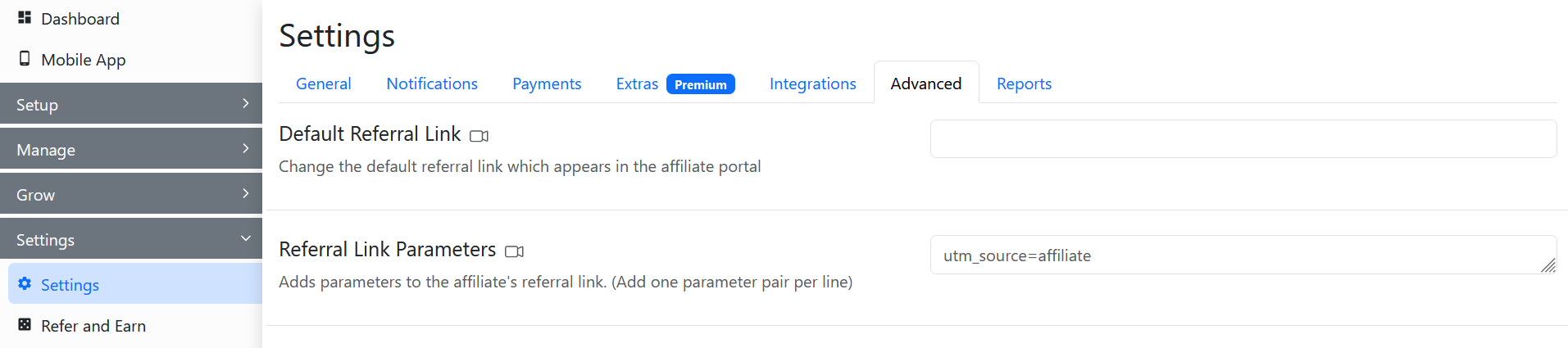
Here, go to the Referral Link Parameters section and enter the parameters.
While adding the parameters, the utm_source, utm_medium, and utm_campaign parameters should always be used. Whereas, the utm_term and utm_content parameters are optional.

After this, click on Save.

The parameters will get set for all the affiliates and get displayed in their dashboard.

To add dynmamic UTM parameters to the referral link of affiliates, you can use the following tags:
For profile information, the following tags are available (if those are set in the affiliate's profile):
- {affiliate_id}
- {name}
- {email}
- {ref_code}
For profile information, the following tags are available (if those are set in the affiliate's profile):
- {coupon}
- {instagram}
- {twitter}
- {address_1}
- {address_2}
- {city}
- {state}
- {country}
- {zip}
Checkout our video guide on how to set up referral link parameters: